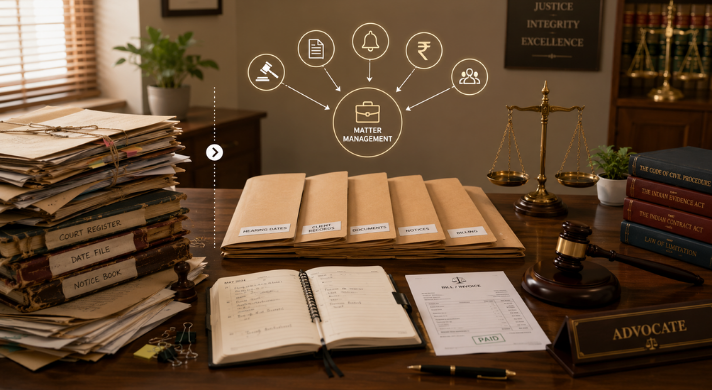
Law office management software is a single platform that runs the administrative side of a legal practice - matters, calendars, court dates, documents, billing, and client records - so lawyers and staff stop retyping the same data into disconnected files. MyKase is an Indian law office management system built for how courts and firms here actually work.
Most buyers do not want another tool. They want fewer hours spent on clerical work: chasing hearing dates, renaming files, copying case numbers into spreadsheets, drafting the same notice for the tenth time. That admin load is the real cost inside a firm, and it tends to build up as the caseload grows.
This guide separates the features that genuinely cut that load from the ones that only look busy on a demo screen. It speaks to Indian practices weighing law office software against manual registers, shared drives, and a patchwork of apps. The test stays simple: does the feature remove a repetitive human task, or just move it?
What is law office management software, and what does it replace?
Law office management software brings the running of a practice into one system: a matter record that holds the case number, court, parties, and next date; a calendar that surfaces those dates; a document store tied to each matter; and a billing ledger that reflects the work done.
Instead of a physical register, a shared drive, a diary, and a billing spreadsheet, the firm keeps one connected record. MyKase is that system for Indian firms, sized for solo advocates through mid-size litigation and corporate teams.
What it replaces is the manual re-entry between those silos. In a spreadsheet-and-register setup, one new matter gets recorded three or four times by hand, and every update has to be repeated everywhere or it goes stale. A law office management system stores each fact once and reuses it everywhere. That reuse across the whole practice is where the admin saving comes from. No single flashy screen delivers it.
Which features actually reduce admin work, and which just look good?
The features that cut clerical load share one trait: they remove a task a human was doing by hand. Automatic cause-list and hearing-date updates remove the daily job of checking court status. A matter record that auto-fills documents from stored case data removes retyping. Recurring invoice generation removes month-end spreadsheet work. Each of these deletes hours, not minutes.
Features that only look good on a demo tend to add work disguised as capability: dashboards nobody maintains, custom fields that must be filled by hand for every matter, or AI summaries that still need checking line by line. The test is simple: do staff do less once the feature is on? A tool that needs constant feeding to stay useful just relocates the admin work.
This is the line between real law firm automation software and a busy demo. MyKase is built around automation that runs without a person tending it.
How does automatic case and hearing-date tracking cut clerical hours?
The single biggest manual drain in an Indian litigation practice is keeping track of hearing dates across many courts. Someone has to check status, note the next date, and warn the responsible advocate. Done by hand, it is slow, easy to miss, and stressful when a date slips.
Automatic tracking pulls case status and the next date of hearing and pushes it into the firm's calendar, so the register updates itself. This matters at scale because pendency keeps cases live for years.
The National Judicial Data Grid figures update continuously, so any reading should be treated as a snapshot rather than a fixed number. MyKase litigation tracking handles that monitoring automatically, which is where a large slice of daily admin disappears.
Can document management remove repetitive drafting and filing work?
Yes, once documents live inside the matter itself. If a pleading, order, or affidavit is stored against the case, the case number, court, and party names are already known, so you can pull them into drafting right from the stored documents, instead of searching for them. Filing becomes automatic too: a document created against a matter is already in the right place, with no manual foldering and no ambiguous file names to fix later.
The repetitive work in most firms is the clerical layer around the argument: naming files, copying case headers, hunting for the latest version, emailing the right draft. A document system tied to the matter removes that layer. MyKase document management for legal practice keeps every file linked to its case, versioned, and searchable, so the retrieval and re-entry tasks that eat junior hours mostly stop existing.
How does notice and reminder automation reduce follow-up admin?
Notices and deadline follow-ups are pure clerical repetition: the same demand notice re-drafted with new party details, the same reminder sent before a limitation date or a compliance due date. Automating them means the template holds the fixed language while the matter supplies the variable details, and reminders fire on a schedule that no one has to remember.
This removes two kinds of admin at once: the drafting time and the tracking overhead of who was reminded when. A firm that sends dozens of notices a month gets back real hours, and the risk of a missed deadline drops. The system carries the schedule, not a person's memory.
MyKase notice management solution runs on exactly this pattern, so nobody rebuilds the same notice or chases the same follow-ups by hand.
Does billing and time-capture automation save real hours at month-end?
Billing is where manual admin concentrates at month-end: reconstructing what was done, matching it to matters, building invoices, and applying the right tax. When time and activity are captured against the matter as work happens, the invoice mostly assembles itself, and recurring or retainer billing can generate on a set date without anyone rebuilding a spreadsheet.
Indian legal billing also carries a tax layer that manual systems get wrong. Under the Scheme of Classification of Services, criminal law services fall under SAC 998211, civil, commercial, and corporate legal advisory and representation services fall under SAC 998212, and intellectual-property-related legal documentation falls under SAC 998213, so the right code depends on the nature of the work.
Under Notification 13/2017-Central Tax (Rate) dated 28 June 2017, services supplied by an individual advocate or a firm of advocates to a business entity are taxed under reverse charge, meaning the recipient pays the GST rather than the advocate. That reverse charge is not universal, though: under Notification 12/2017-Central Tax (Rate), the supply is exempt where the recipient business entity's aggregate turnover in the preceding financial year is up to Rs 20 lakh (Rs 10 lakh in special category states), below the GST registration threshold.
On MyKase, GST and SAC code are entered manually on each invoice rather than computed automatically; the system surfaces the applicable rule for reference so staff are not re-deriving it from scratch, but the figure itself is a manual entry, matter by matter.
How does a law office management system handle client communication and intake?
Client admin is a steady low-level drain: logging enquiries, recording who a matter belongs to, answering the same status questions by phone, and keeping contact details current. When intake and client records sit inside the same system as the matters, a new enquiry becomes a record once and links straight to any case it turns into, with no separate contact list to reconcile.
Status questions are the quiet time-sink. When the next hearing date and matter progress already live in the system, answering a client takes seconds, no file hunt required, and much of it can be surfaced to the client directly. Keeping intake, contacts, and matters in one law office management software removes the reconciliation work of maintaining a client list that always drifts out of sync with the actual caseload.
Does it integrate with the tools a firm already runs, like Tally, eCourts, and ERP systems, or is that manual?
Integration is where admin either disappears or quietly doubles, so it is worth being precise about which systems actually connect and which do not. Most Indian firms already run accounting in Tally, check case status through the eCourts services, and larger practices may hold client or finance data in an ERP. Not every one of those connections is automatic on every platform, and a firm should confirm each one specifically rather than assume “integration” covers all three.
The India-fit question is concrete, and the honest answer differs by system. Can it pull case status and the next date of hearing from eCourts sources so the calendar updates without manual checking? On MyKase, yes - this is a core, built-in feature of its litigation tracking. Can billing data move automatically into the firm's Tally or ERP accounting at month-end? No. MyKase does not offer a confirmed, automatic two-way sync into Tally or a firm's ERP. GST and invoice figures are entered manually inside MyKase, matter by matter, and moving that data into the firm's own accounting system remains a separate step for the firm's bookkeeper or accountant.
What admin tasks does an advocate office management system NOT eliminate?
Software does not remove judgement. It will not decide strategy, read an order for meaning, or write the argument that wins a matter, and any tool that claims to should be treated with suspicion. It also does not fix a broken process: if a firm's intake is chaotic on paper, it stays chaotic in software until someone designs the workflow properly first.
A setup cost is real too, and worth naming. Migrating existing matters, standardising templates, and training staff take effort before the savings arrive. An honest advocate office management system reduces recurring clerical work sharply. It does not make the practice run itself, and it does not replace a well-run office. The gain is that once configured, the repetitive tasks stop recurring, and the one-time work buys back ongoing time.
Cloud or desktop: which reduces IT and maintenance admin?
Desktop or on-premise software moves the admin burden onto the firm: backups, updates, server upkeep, and the recovery scramble when a machine fails. Cloud-based law office software shifts that maintenance to the provider, so the firm stops running its own IT and gets updates and backups without a person managing them.
Cloud also changes where work can happen: court, chamber, or home. That removes the admin of syncing files between machines and emailing documents to yourself. The trade-off is data security, which for a law practice is non-negotiable given the duty of confidentiality.
Is client data secure in a cloud law office management system?
This is the right question to ask before moving client files anywhere. A law practice holds privileged and personal information, and the duty of confidentiality is a professional obligation, not a preference. On top of that, the Digital Personal Data Protection Act, 2023 places a statutory duty on any organisation handling personal data.
Section 8(5) provides that "A Data Fiduciary shall protect personal data in its possession or under its control, including in respect of any processing undertaken by it or on its behalf by a Data Processor, by taking reasonable security safeguards to prevent personal data breach" (Digital Personal Data Protection Act, 2023, Section 8(5)). The Act was enacted in 2023, and its obligations are phasing in through the DPDP Rules 2025: the security-safeguard obligations become effective on 13 May 2027, so firms should treat 2026 as the year to prepare rather than wait.
A serious cloud provider treats that duty as the baseline: access controls, encryption, audited infrastructure, and reliable backups. These are the same protections a firm would struggle to maintain on its own server. For a small firm without a dedicated IT team, provider-grade controls are often stronger than anything it could run in-house. MyKase cloud security for legal practice is built to meet that standard.
How do I choose law office management software that fits an Indian practice?
Start from your own admin drain, not a feature list. Note where hours actually go each week: hearing-date tracking, document hunting, month-end billing, notice drafting. Test each tool against those tasks specifically. Skip any tool that automates a task you rarely do; the migration costs more than it saves. One that removes your heaviest weekly chore usually pays back fast.
Then check the India fit, because generic tools often miss it. Does it track the next date of hearing across the courts you appear in, and keep data under Indian data-protection expectations? Match the size too, since a solo advocate and a 40-lawyer firm need different things. MyKase legal case management software is built around Indian court workflows: it tracks the next date of hearing across the courts you actually appear in without manual checking, and surfaces the correct GST reverse-charge and SAC guidance for staff to apply manually on each invoice, rather than computing GST for them.
- Does the feature remove hearing-date checking?
- Does it stop document hunting and renaming?
- Does it reduce month-end billing reconstruction?
- Does it automate notice drafting and follow-up?
Which admin tasks does law office management software automate?
| Admin task | Manual method | With law office management software |
|---|---|---|
| Tracking hearing dates | Check court status by hand, note in diary | Next date of hearing pulled into calendar automatically |
| Drafting notices and letters | Re-draft template with new party details each time | Template auto-fills from matter data, dispatch on schedule |
| Filing and finding documents | Rename files, foldering in a shared drive | Documents linked to matter, versioned, searchable |
| Month-end billing | Reconstruct work, build invoice, apply tax manually | Time captured to matter, recurring invoices |
| Answering client status queries | Hunt through the file to answer | Status and next date visible on the matter record. Client has 24/7 access. |
| Keeping the books in sync | Retype invoices and case data | Court data auto-updates from eCourts; GST/invoice figures are entered manually and still moved into Tally/ERP by the firm's own accountant. |
| Backups and updates | Firm runs its own server upkeep | Provider manages backups, updates, and security |
Conclusion
The features that cut admin work all pass one test: they delete a repetitive task instead of adding a screen to maintain. Automatic hearing-date tracking, matter-linked documents, notice and reminder automation, and clean time capture remove the clerical layer that grows with your caseload. MyKase is built for this. Book a Demo to see it against your workflow.
MyKase is built for this. Book a Demo to see it against your workflow.
Frequently Asked Questions
MyKase is an Indian law office management system built for local court and firm workflows. Law office management software is one platform that runs a practice's admin - matters, court dates, documents, billing, and client records - so data is entered once and reused across the whole firm.
Law office software is the broader term covering the whole practice - billing, clients, calendars, and documents - while case management focuses on the matters themselves. MyKase legal case management software sits inside the wider law office management system so both work as one record.
Yes, when features automate repetitive tasks rather than add screens to maintain. Automatic hearing-date tracking, matter-linked documents, and recurring billing remove clerical hours. MyKase is built around this kind of automation for Indian firms, so staff do less manual re-entry.
MyKase is sized from solo advocates to mid-size firms and built around Indian practice workflows. The best fit is the system that automates your heaviest weekly admin and handles Indian court dates, legal billing, and data protection under the DPDP Act, 2023.
A serious cloud system usually raises security for small firms through access controls, encryption, and audited backups. The DPDP Act, 2023, Section 8(5) requires a Data Fiduciary to take reasonable safeguards against a data breach, with obligations phasing in through May 2027. MyKase cloud security for legal practice is built to meet that standard.
Under Notification 13/2017-Central Tax (Rate), advocate services to a business entity are taxed under reverse charge, so the recipient pays, unless the recipient's turnover is below the registration threshold and exempt under Notification 12/2017. SAC codes differ too: 998211 for criminal, 998212 for civil and corporate. MyKase encodes these rules so staff stop re-deciding tax per invoice.
MyKase automatically tracks case status and hearing dates from eCourts, so that side of the work does not need manual checking. It does not offer a confirmed, automatic sync with Tally or a firm's ERP for accounting: GST and invoices are entered manually inside MyKase, and moving that data into the firm's own accounting system remains a separate step for the firm's bookkeeper or accountant.
Hearing-date tracking and reminders save time almost immediately; billing and document savings arrive over a few billing cycles as templates and data are migrated. The gain comes once your firm trusts MyKase as the single record instead of running parallel registers.